|
⇤ ← Revision 1 as of 2017-10-26 13:26:55
Size: 474
Comment:
|
Size: 477
Comment:
|
| Deletions are marked like this. | Additions are marked like this. |
| Line 7: | Line 7: |
| {{attachment:VoxToolBar.jpg}} | {{attachment:recon-edit-icon.png}} |
| Line 11: | Line 11: |
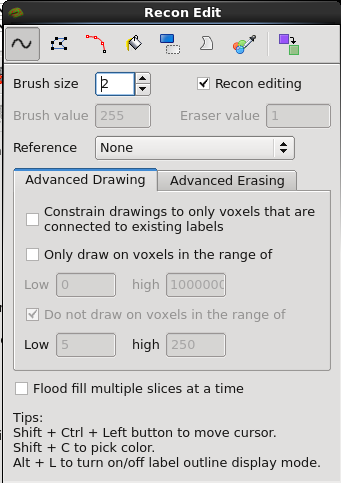
| {{attachment:VoxWindowBar.jpg}} | {{attachment:recon-edit.png}} |
Recon Edit
Describe recon edit.
Voxel edit mode is located just above the layer list and underneath the menu bar, or can be found under Action -> Recon Edit in the menu bar. Alternatively, you can use the shortcut key Ctrl+E.

Selecting Recon Edit mode will prompt the Recon Edit pop-up window to appear, which will include the following button bar: